A comfortable place to think, write, and organize

A space to catch every idea.
Build your own dashboards
to stay focused on the ones that matter.

Simple text notes, powerful dashboards, or anything in between.

Try the early beta. Expect frequent updates as the app grows.

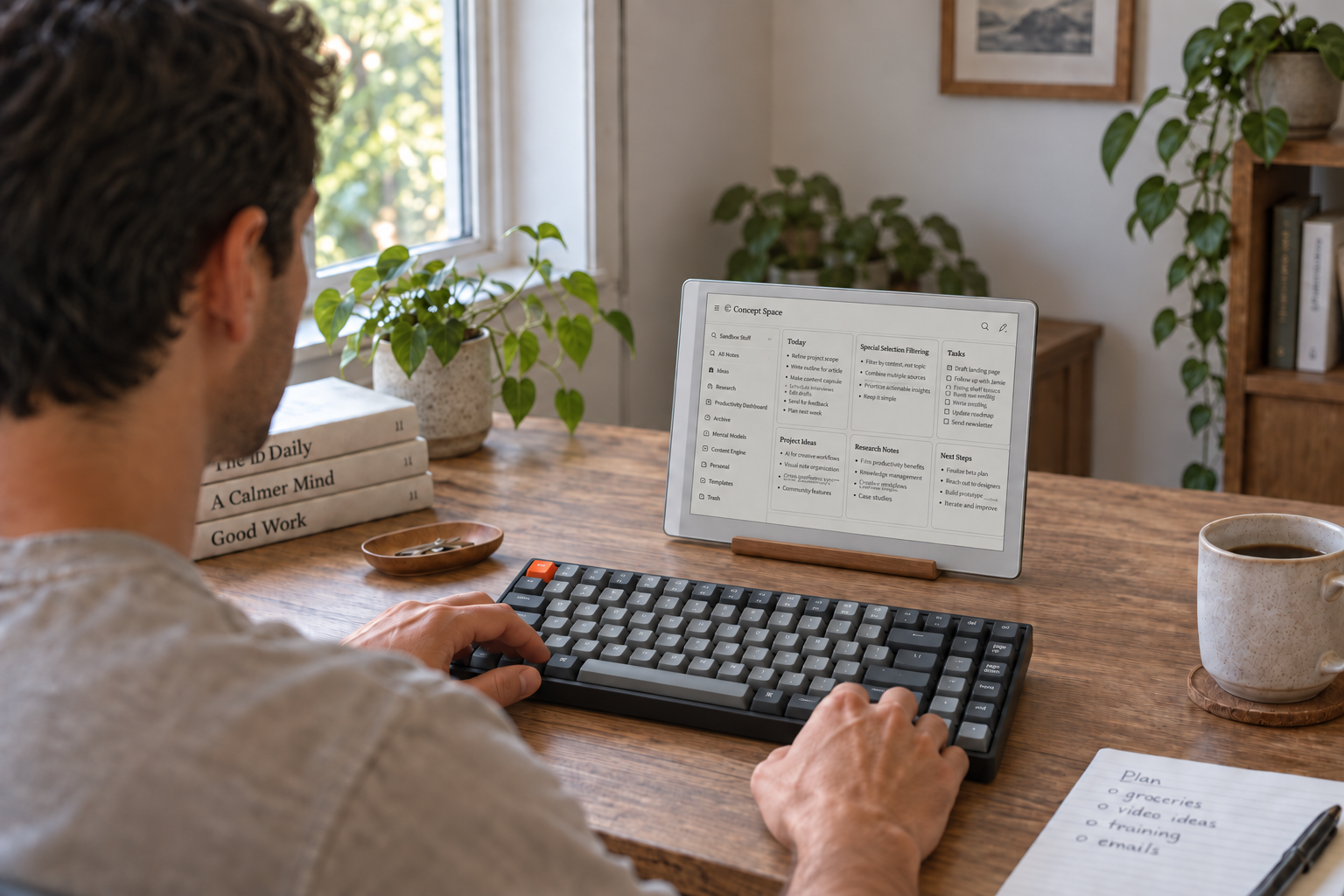
Over a man's shoulder, a compact white e-ink tablet displays Concept Space notes above a gray mechanical keyboard on a wooden desk.
Placeholder mockup. A real photo is on its way.

01 / Concentration

A space for
uninterrupted concentration.

Nothing between you and the sentence you are writing. No feed, no badge, no sidebar asking for attention: a page, your words, and the quiet to hear yourself think.

1.1

Instant, distraction-free notes anywhere.

One click clears everything on screen except your ideas. The folders, the toolbar, the other notes are gone until you ask for them back.

Open a note from your phone, your desk, or whichever browser you happen to be in. The page is already there, and the cursor is already waiting.
1.2

The calm of e-ink, on any screen.

Paper tones, ink-dark type, one serif for reading and one mono for the chrome. Designed and tested on e-ink devices, where every flicker costs something, so on a bright screen it feels quieter than it has to.

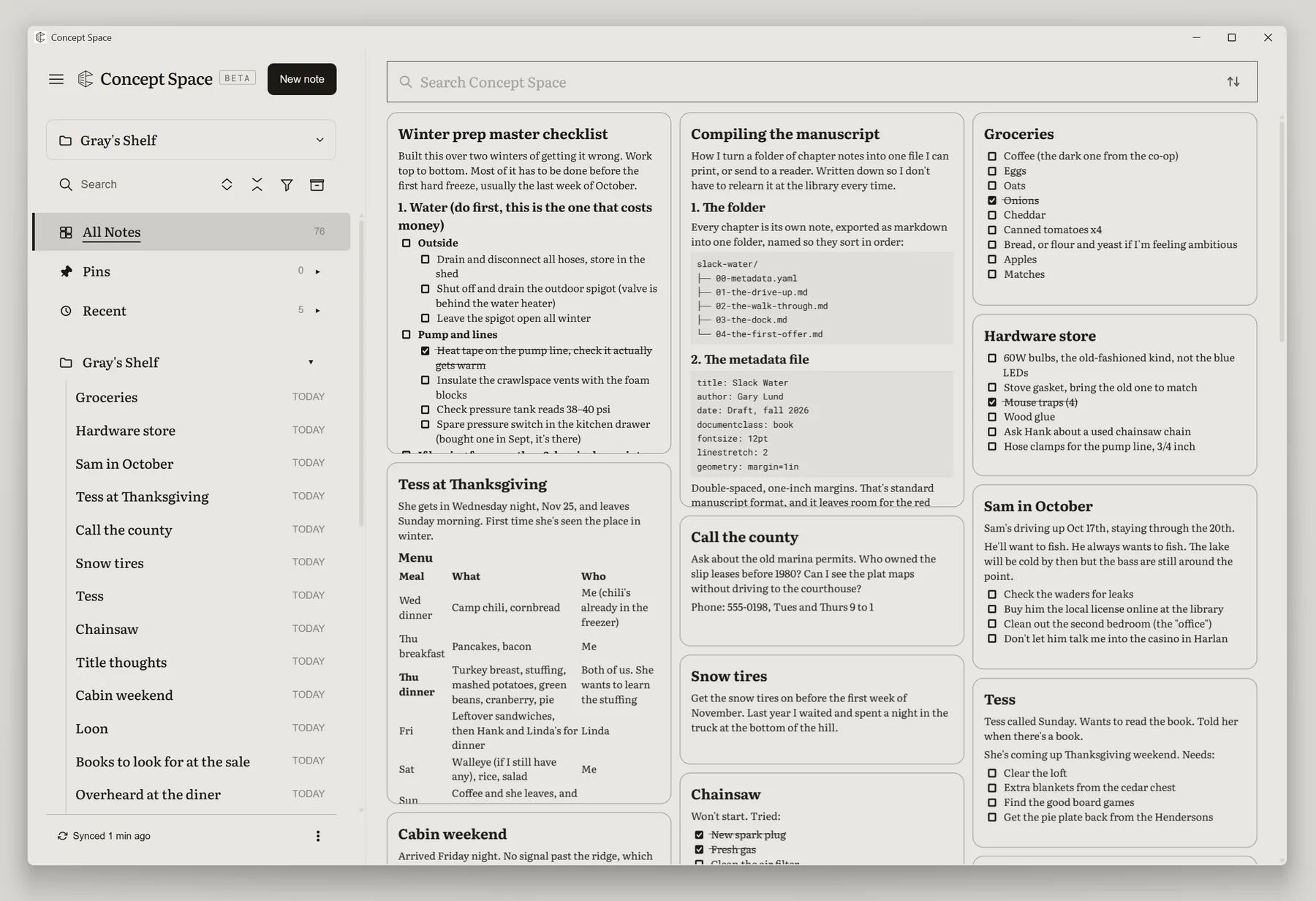
The Concept Space desktop window in paper tones: the folder tree beside cards of notes, ink-dark serif text on warm grey.
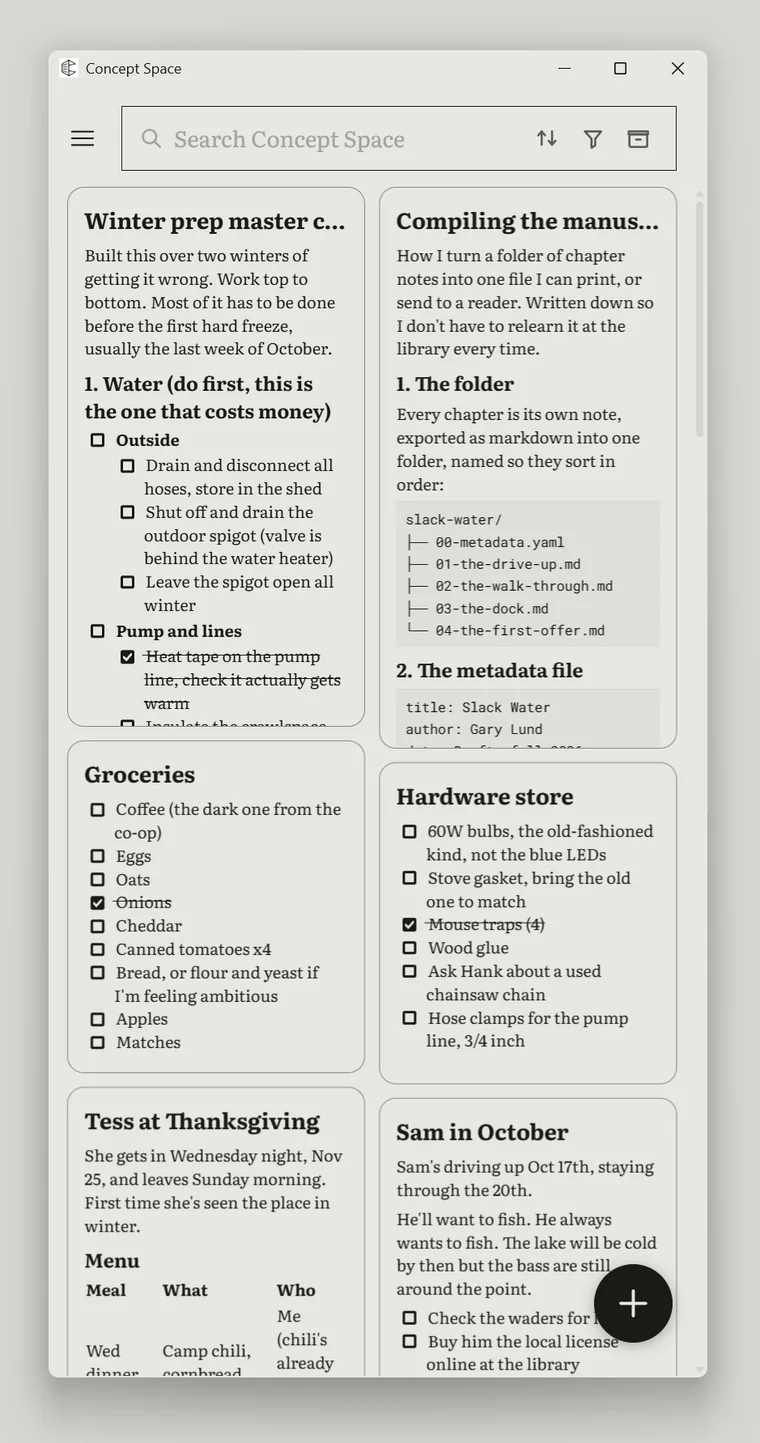
The same notes at phone width: two columns of cards under the search field, the new-note button at the bottom right.

1.3

Fully disconnect. Stay offline as long as you like.

Every device holds your whole shelf. Turn off the network and write for an afternoon, a flight or a week: nothing waits on a server, and nothing is lost.

When you reconnect, every device catches up without dropping a word.

02 / Permanence

A lasting home
for your thinking.

Notes you will still want in ten years should not depend on an app being around in ten years. Your writing is yours in the strongest sense: plain files, every version kept, every connection remembered.

2.1

Plain markdown files, never locked in.

Every note is an ordinary markdown text file. Bring them in from other apps, download a note or a whole folder any time, and open them in any editor you like.

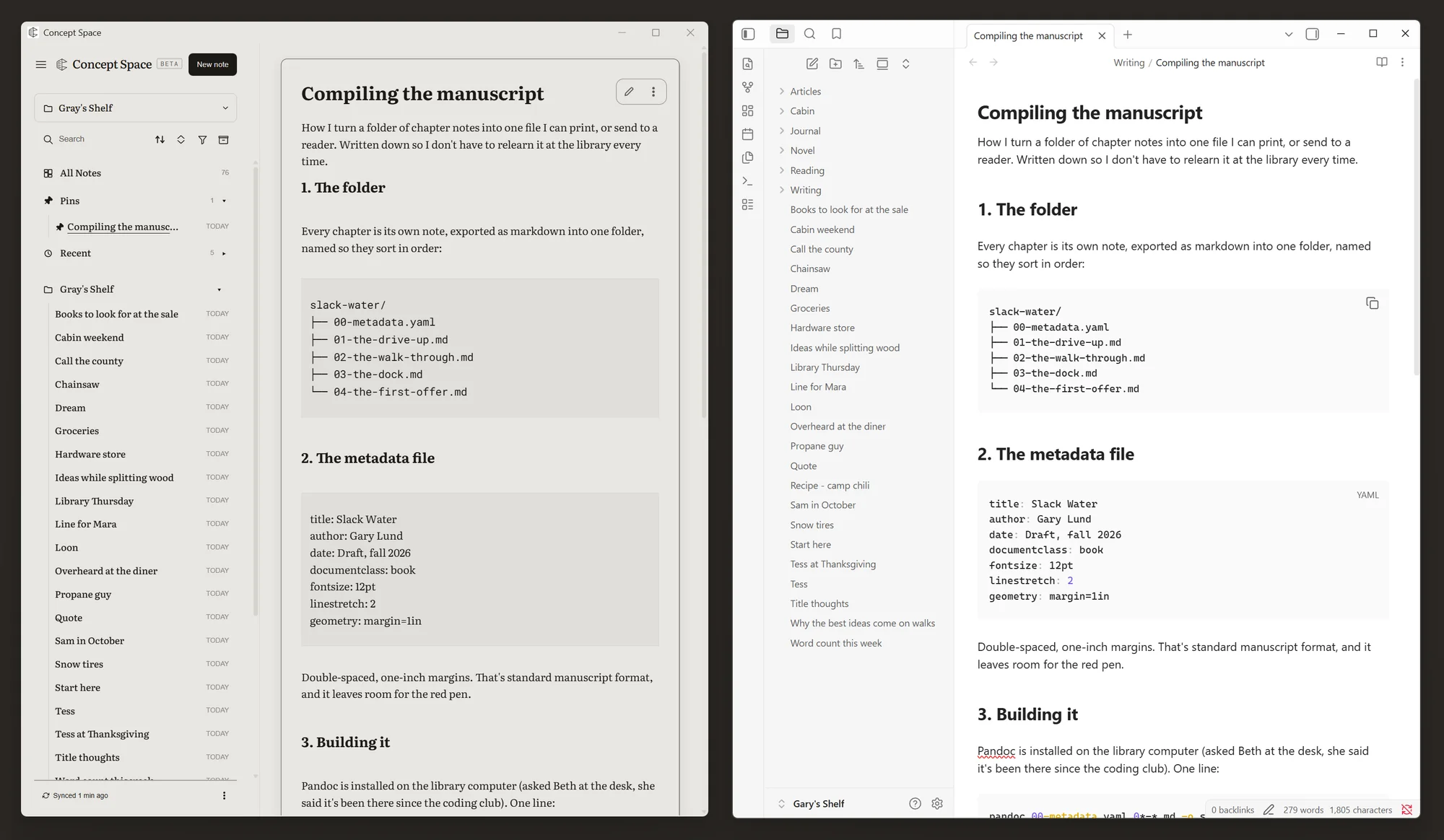
The same note open in Concept Space and in Obsidian, side by side: one markdown file, the same folder of notes, the same headings and code blocks in two apps.

2.2

Never stress over an edit.

Every version is saved as you type, stored online, and available from any device, whether or not you were connected when you made it.

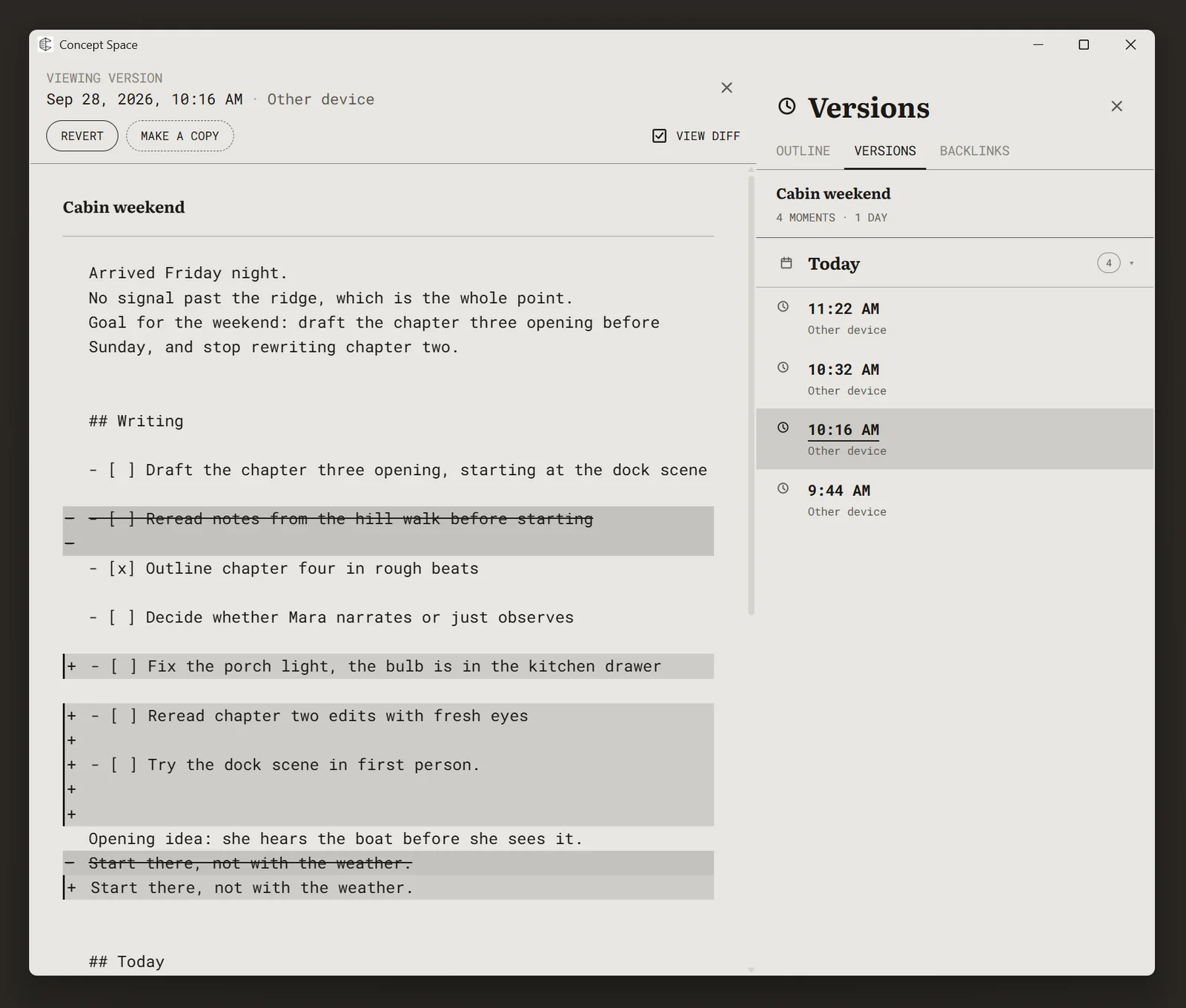
Open a note's history, step back to any moment, and take back the sentence you regret deleting.

A note open at an earlier version, with View diff on: removed lines struck through and added lines marked, Revert and Make a copy above, and the Versions panel beside it listing the day's four moments.

2.3

Come back to any idea, and everything related comes with it.

Link notes as you write, and see every place an idea has been used before.

Go further with relationships across libraries: a task belongs to a project, a source belongs to a chapter, and your dashboards follow those connections.

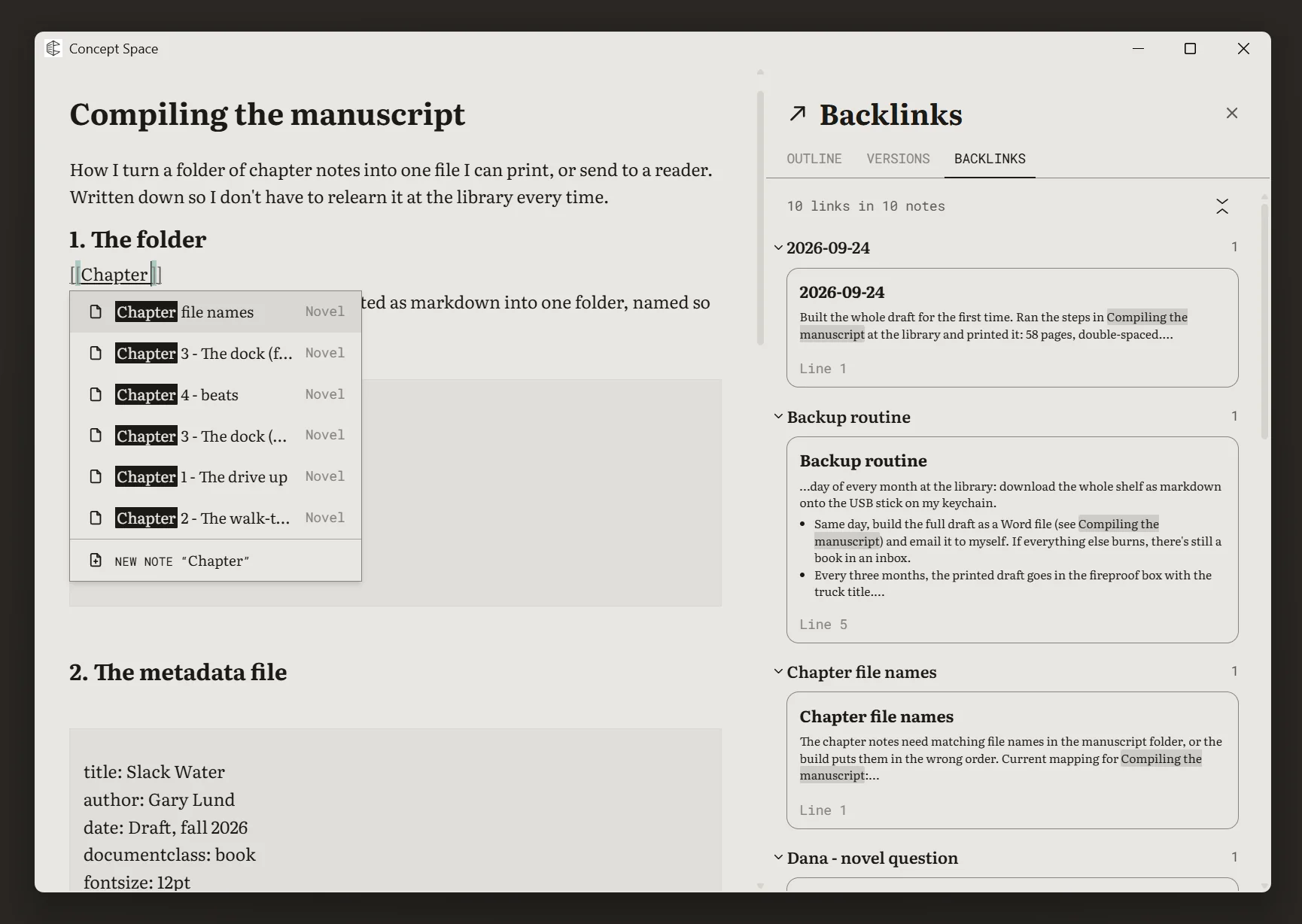
Typing [[ in a note opens a picker of matching notes, while the Backlinks panel beside it lists every note that links here, with the linking sentence and its line.
Animated screenshotA task picks its project; the project lists its tasks

03 / Your own tools

Build tools from your notes
that keep what matters in focus.

Shaped to the way you work, not the other way round. A pile of notes is already useful; a couple of properties or a library pays you back with filter, sort and views over writing you already did.

3.1

Libraries: notes with structured properties.

Organize notes into libraries, like tables, and give them properties such as status, date, or type.

A row is still a note, and the note is still a markdown file. The structure sits on top of the writing and never replaces it.

3.2

See any library the way you need it.

Table, list, kanban board, or timeline. Filter, sort and group by any property, and keep each arrangement as a view you can come back to.

The same notes, seen the way this week's work needs them seen.

3.3

Dashboards for exactly what matters right now.

Bring views from several libraries onto one page: what's due today, the project you are in, the sources for the chapter you are writing.

Choose a project and every tile follows it. Open the details from one place.

And on your phone

Nothing is desktop-only.

Build a dashboard, rearrange a kanban, filter a timeline. Every feature was designed for your phone, not shrunk down to fit it.

Animated screenshotBuilding a dashboard on a phone
Animated screenshotDragging a card across a board
Animated screenshotFiltering a timeline

A few practical questions

Getting
started.

Can I just use it for notes?

Yes. Simple text notes are a complete way to use Concept Space. Add folders, libraries, views, or a dashboard when they help. Your notes stay plain markdown whichever you choose.

What happens when I’m offline?

You can keep reading and editing every note already on your device. Your changes sync when you reconnect. Signing in for the first time needs a connection.

Can I use it on an e-ink device?

Concept Space’s paper colors and clear typography were designed on e-ink screens. Use the web app on a device with a compatible browser. Support depends on the device and its browser.

How do I share a workspace?

Keep the work you want to share in a shelf and add people using their Concept Space account email. Everyone you add can read that shelf. You choose which folders they can edit, and whether they can change content or also its organization.

What does early beta mean?

Beta access is by request, and the app is still changing. Expect frequent updates and some unfinished edges. You can export your notes at any time. Read the terms and privacy policy, or get in touch.

Notes for your ideas, projects, and everyday life

Catch every idea.
Start with one.

Request Beta Access

Concept Space · Early beta